
I love the buzz of race day yet I also love the freedom of training on my own time. Virtual triathlons bring both worlds together. I can swim bike and run wherever I am and still feel that start line spark. No flights no crowds just my gear and a clear plan.

In this guide I’ll walk through how these races actually work. I’ll cover what platforms I use to track each leg how results get verified and what to expect on pacing and transitions. I’ll also share tips to set up a simple at home race kit so you stay focused and have fun. If you want flexibility without losing the challenge you’re in the right place.
Virtual Triathlons: How They Work
I run virtual triathlons to keep race focus high and training flexible. I coach athletes through the setup, the timing, and the verification so the effort counts.
Registration And Platforms
I start registration on the race organizer’s site, then I connect verified platforms for virtual triathlons. I match each leg to tools that capture accurate data.
- Pick a race on USA Triathlon’s calendar or a reputable organizer, examples include IRONMAN Virtual Club archives, Challenge Family partner events.
- Create an account on tracking platforms, examples include Garmin Connect, Strava, Zwift, Rouvy, FulGaz.
- Connect devices for reliable recording, examples include a multisport GPS watch, a smart trainer, a heart rate monitor, a power meter.
- Sync accounts so files flow automatically, examples include Garmin to Strava, Zwift to the race portal, FORM Swim to Polar Flow.
- Confirm required evidence per leg, examples include GPS files for bike and run, lap splits for pool swims, screenshots for indoor sessions.
- Check event rules posted by USA Triathlon or World Triathlon if sanctioned, examples include equipment standards, draft rules, age group categories.
Course Options, Timing, And Rules
I map each virtual triathlon leg to safe, accessible options that match race rules. I follow the timing window the organizer sets.
- Choose swim settings that match conditions, examples include pool laps, open water loops, endless pool sessions.
- Choose bike venues that fit accuracy needs, examples include smart trainer on Zwift, smart trainer on Rouvy, outdoor road loop with power.
- Choose run routes that support pacing, examples include treadmill with foot pod, indoor track, measured outdoor path.
- Follow transition format as defined, examples include continuous timing, separate legs with rest caps, indoor only protocols.
- Follow rule constraints per organizer, examples include no drafting on bike outside of e-racing formats, outside assistance bans, safety gear requirements for open water.
Typical race setups for virtual triathlons
| Format | Swim distance km | Bike distance km | Run distance km | Timing window hours |
|---|---|---|---|---|
| Super Sprint | 0.4 | 10 | 2.5 | 24 |
| Sprint | 0.75 | 20 | 5 | 48 |
| Olympic | 1.5 | 40 | 10 | 72 |
| Half | 1.9 | 90 | 21.1 | 120 |
| Full | 3.8 | 180 | 42.2 | 168 |
Event pages often define continuous completion for sprint and Olympic formats, separate leg windows for half and full formats. Organizers post specifics on their sites, examples include USA Triathlon guidance, World Triathlon virtual policies.
Tracking, Verification, And Results
I record each leg with primary and backup data to protect results. I submit evidence exactly as the race portal requests.
- Capture swim data with device proof, examples include Garmin or Coros pool mode lap files, open water GPS tracks, FORM Swim screenshots with distance and time.
- Capture bike data with power and cadence, examples include .FIT files from smart trainers, Zwift or Rouvy activity links, head unit files from outdoor rides.
- Capture run data with pace and GPS, examples include .FIT or .TCX from a GPS watch, treadmill foot pod calibration screenshots, Strava activity links set to race.
- Verify identity and effort per rules, examples include time-stamped photos, device serial confirmation, weight and height declarations for e-cycling accuracy on ZwiftPower.
- Submit files in the allowed formats, examples include .FIT, .TCX, .GPX, organizer form fields with start and end times.
- Review provisional leaderboards then monitor audits, examples include anomaly flags for unrealistic speed, heart rate or power verification checks, age group and gender category sorting.
I reference official standards for fairness and safety, sources include USA Triathlon competition rules, World Triathlon policies, platform accuracy statements from Garmin, Zwift, and Strava. I keep coaching notes on pacing, transitions, and environmental factors so each virtual triathlon reflects race intent.



Required Gear And Tech
I set up virtual triathlon gear to capture clean data and keep races fair. I match devices to the race platform so the sync stays consistent.
Devices, Apps, And Connectivity
- Watches and head units: Multi-sport GPS watches record splits and transitions, examples Garmin Forerunner 955, Coros Pace 3, Apple Watch Ultra 2 (Garmin specs www.garmin.com, Apple water resistance support.apple.com).
- Heart rate sensors: Chest straps track HR with low lag and high accuracy, examples Garmin HRM‑Dual, Polar H10, Wahoo TICKR X (Garmin HRM‑Dual support.garmin.com).
- Bike power and cadence: Smart trainers or crank hubs push power data to apps, examples Wahoo KICKR, Tacx Neo, Garmin Vector and Rally pedals (Wahoo support.wahoofitness.com).
- Footpods and treadmills: Footpods stabilize pace indoors, examples Stryd, Zwift RunPod, Garmin RD Pod, treadmills export FIT files through compatible consoles or third party bridges (Zwift support support.zwift.com).
- GPS for outdoor legs: Watches and bike computers log routes and elevation, examples Garmin Edge 540, Wahoo ELEMNT BOLT, Apple Watch with connected iPhone for GPS assist when GPS assist applies (Garmin Edge support.garmin.com, Wahoo support.wahoofitness.com).
- Swim tracking: Pool mode counts laps with accelerometers, open water mode uses GPS, examples Garmin Forerunner swim profiles, Apple Watch Open Water Swim (Apple water resistance support.apple.com).
- Core apps: Recording and verification run through training platforms, examples Strava, Garmin Connect, Apple Health, Coros Training Hub, Zwift, Rouvy, TrainerRoad (Strava device sync support.strava.com, Zwift data sources support.zwift.com).
- Protocols and file types: Bluetooth Smart and ANT+ broadcast data to apps, FIT and GPX files store race evidence for uploads to portals, examples race portals on Strava Clubs or vendor sites use FIT for accuracy tags (ANT+ antplus.com, Bluetooth SIG bluetooth.com, Strava file types support.strava.com).
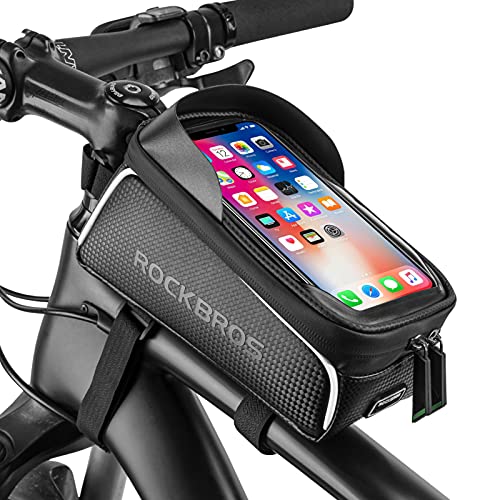
- Mounts and power: Rigid mounts protect sensors and screens, portable power banks sustain long formats, examples quad‑lock mounts, 10,000 mAh banks for Half and Full formats.
Connectivity and durability basics
| Item | Spec | Typical value | Source |
|---|---|---|---|
| Bluetooth Smart range | Line of sight | 10 m to 100 m | Bluetooth SIG bluetooth.com |
| ANT+ range | Line of sight | 10 m to 30 m | ANT+ antplus.com |
| Chest strap battery | Coin cell life | 300 h | Garmin HRM‑Dual support.garmin.com |
| Smart trainer power accuracy | Deviation | ±1 percent to ±3 percent | Manufacturer specs Wahoo Tacx |
| Optical wrist HR error | Running variance | 2 percent to 10 percent vs chest | Peer comparisons DC Rainmaker dcrainmaker.com |
| Water resistance rating | Pool and open water | 5 ATM or WR50 | Apple support.apple.com |
| Device ingress rating | Immersion | IPX7 for 30 min at 1 m | IEC 60529 via manufacturer specs |
Sync workflow for clean virtual triathlon data
- Pairing: I pair sensors to one recording hub to avoid dual connections, examples watch as hub with trainer bridged through Bluetooth or ANT+.
- Recording: I record each leg as a separate activity with correct sport profile, examples Pool Swim, Indoor Ride, Outdoor Run.
- Backups: I export FIT files after each leg in case auto sync fails, examples manual upload to Strava or race portal.
- Calibration: I zero offset power meters and calibrate smart trainers before the bike leg, examples spindown on Wahoo KICKR, static zero on Rally pedals.
- Treadmill pace: I match treadmill speed to footpod pace using a one point calibration before the run leg, examples Stryd auto‑cal or Zwift RunPod manual cal.
- GPS quality: I load multi‑band GPS when available and pick open sky routes to reduce drift, examples Garmin multi‑band setting on Forerunner 955.
- Primary connections: I connect devices to Garmin Connect or Coros first, then push to Strava for race verification if the organizer requests it, examples organizer portals accept Strava links and FIT uploads (Strava verification support.strava.com).
- Privacy controls: I set activities to public or link visible for the race window, examples map privacy zones hide home location while leaving route visible for officials.
- Time zones: I confirm device time zone matches the race window to avoid invalid timestamps, examples auto time sync through GPS on start.
The Racing Experience
I race virtual triathlons to match real race intensity with flexible logistics. I coach athletes to structure the day so the effort feels honest and the data reads clean.
Pacing, Transitions, And Safety
I pace each leg by threshold anchors from verified tests to keep the virtual triathlon effort repeatable. I define swim by CSS or 1k pace, bike by FTP, and run by threshold pace, then I translate to RPE for platforms without metrics. I treat transitions as off-clock or on-clock based on organizer rules, then I standardize the workflow to remove guesswork. I set safety first with hydration, cooling, and space, then I adapt targets if heat or illness risk rises.
Pacing targets by leg for a Sprint format
| Leg | Distance | Primary anchor | Target intensity | RPE 6–20 |
|---|---|---|---|---|
| Swim | 750 m | CSS pace | CSS to CSS+3 s per 100 m | 14–15 |
| Bike | 20 km | FTP power | 88–95% of FTP | 15–16 |
| Run | 5 km | Threshold pace | Threshold to Threshold+10 s per km | 16–17 |
- Calibrate by validated anchors, using lab or field tests from platforms, such as Ramp or 20 min FTP tests on Zwift and TrainerRoad, and CSS tests in a 400 m pool. ACSM endorses threshold anchored programming for endurance performance data consistency.
- Match RPE to metrics, using the Borg 6–20 scale for cross checks when power or pace drops, as described by Borg 1982 and ACSM 2021.
- Adjust for heat load by reducing targets by 2–5% power or 5–15 s per km pace when wet bulb rises above 24 C, referencing NATA heat guidelines and CDC heat illness prevention.
Virtual transitions that keep data clean
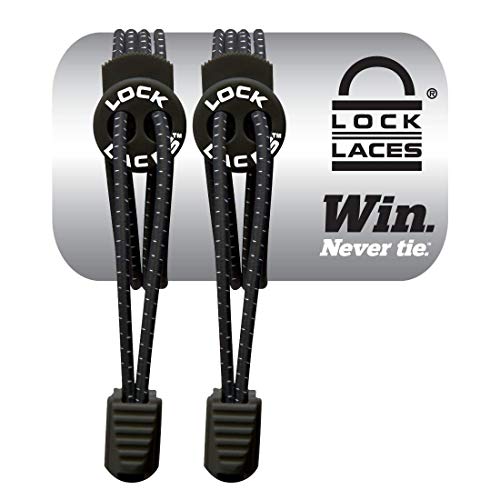
- Stage gear in zones, placing swim cap and goggles by the pool exit, cycling shoes clipped on the trainer bike, and run shoes with elastic laces near the treadmill or door.
- Lock device connections, pairing power and cadence to the same smart trainer, heart rate to one recording head unit, and footpod to the run app to prevent double counting.
- Preload apps and files, opening Zwift or Rouvy for the bike and Runalyze or Strava for the run, and creating workouts that match segment lengths.
- Time transitions per rules, pausing the race clock if the event lists separate legs, and keeping the clock rolling if the event uses continuous timing, as USA Triathlon virtual guidelines define.
- Label files consistently, naming each .fit or .tcx with leg order, distance, and date to simplify verification.
Swim execution that translates to virtual timing
- Choose a controlled venue, using a 25 m or 25 yd pool with lane availability, or an open water course with GPS buoys when permitted by the event. USA Triathlon permits pool or open water for virtual events when distances match published formats.
- Count lengths or laps, confirming 30 lengths for 750 m in a 25 m pool, or using a form stroke counter on a multisport watch for reliability.
- Record evidence clearly, capturing watch files with stroke data and splits, and adding one photo of the pool clock or open water start.
Bike execution that anchors the middle leg
- Warm up for 10–15 min, adding 2–3 strides at 95–105% FTP to prime oxygen kinetics, as supported by endurance warm up research in J Sports Sci.
- Ride in ERG or SIM, using ERG for steady pacing at 90–95% FTP or SIM for course realism with a steady normalized power target.
- Hold aero or steady posture, keeping upper body quiet to reduce HR drift, and ventilate the room with a fan delivering at least 3–5 m/s airspeed for cooling.
Run execution that seals the result
- Set treadmill grade to 1%, matching outdoor energy cost per Jones and Doust 1996 J Sports Sci, or run outdoors on a flat loop with minimal stops.
- Lock cadence early, targeting 170–190 spm for most experienced runners, for example 178 spm at threshold pace, which stabilizes HR and reduces vertical oscillation per gait studies.
- Negative split by seconds, using the first kilometer at threshold plus 5–10 s, then closing at threshold or faster if HR and RPE remain stable.
« How to Volunteer at a Triathlon Race: Roles, Sign-Up, Gear, and Race-Day Tips
Best Triathlon Races for PRs: Flat, Fast Courses from Sprint to Iron »
Safety controls that protect performance
- Hydrate by body mass, drinking 0.4–0.8 L per hour based on sweat rate tests, then adding 300–700 mg sodium per liter for sessions longer than 60 min, as ACSM hydration guidance notes.
- Cool the environment, running two fans for bike and one fan for run, and placing ice towels in a cooler for hot days to reduce core temp rise.
- Clear the training area, removing cables near the trainer, placing a mat under the treadmill, and keeping pets and children outside the buffer zone.
- Screen health status, skipping high intensity if you show fever or respiratory symptoms, as CDC exercise illness guidance advises.
- Anchor pacing to FTP and threshold methods, per ACSM Position Stand 2021 and Coggan power zones literature for cycling performance modeling.
- Align with USA Triathlon virtual event rules for timing windows, file verification, and equipment standards for fair competition.
Pros, Cons, And Key Takeaways
I balance performance and pragmatism when I guide athletes into virtual triathlons. I focus on fairness, data integrity, and training value across swim, bike, and run.
What We Liked
- Flexibility across time zones and venues increases start options for busy athletes, including indoor pools, smart trainers, and treadmills, when organizers accept GPS or device files for verification (USA Triathlon, Virtual Events Guidance: https://www.usatriathlon.org/rules).
- Accessibility via common platforms expands participation for beginners and returners, for example Garmin Connect, Strava, Zwift, and Rouvy, when device pairing and timestamps align with event windows (USA Triathlon, Rules and Policies: https://www.usatriathlon.org/rules).
- Specific pacing control through threshold anchors refines intensity targets on each leg, for example CSS pace, FTP percentage, and critical speed, when terrain and equipment stay consistent across attempts (World Triathlon Competition Rules, distances context: https://www.triathlon.org/uploads/docs/World_Triathlon_Competition_Rules_2024.pdf).
- Immediate feedback from structured data tightens post-race analysis, for example FIT files, power curves, HR traces, and cadence logs, when files remain complete and unedited (USA Triathlon, Results Verification for virtual formats: https://www.usatriathlon.org/rules).
- Safer execution in controlled environments reduces exposure to open-water hazards and traffic, for example pool lanes and smart-trainer ERG sessions, when athletes follow facility policies and device safety notices (World Triathlon, athlete safety framework: https://www.triathlon.org/uploads/docs/World_Triathlon_Competition_Rules_2024.pdf).
What Could Be Better
- Standardization across platforms complicates fairness because different devices estimate distance and power differently, for example footpods vs GPS and smart trainers vs speed sensors, when races accept mixed data sources without calibration guidance (USA Triathlon, Equipment and measurement guidance: https://www.usatriathlon.org/rules).
- Environmental variation across athletes affects outcomes because temperature, elevation, and treadmill calibration change effort, when events compare results globally without correction factors (World Triathlon, competition equity principles: https://www.triathlon.org/uploads/docs/World_Triathlon_Competition_Rules_2024.pdf).
- Draft dynamics and tactical surges lose relevance in solo formats because pack riding and legal draft zones shape pacing in outdoor races, when athletes ride indoors without shared peloton effects (World Triathlon, drafting rules: https://www.triathlon.org/uploads/docs/World_Triathlon_Competition_Rules_2024.pdf).
- Verification friction increases admin time because organizers request raw files, device screenshots, and ID checks, when submissions come from multiple ecosystems with mismatched timestamps (USA Triathlon, Virtual Events Guidance: https://www.usatriathlon.org/rules).
- Motivation intensity declines for some competitors because race-day crowds and officiating elevate effort outdoors, when athletes perform alone without spectators or on-course marshals (World Triathlon, event operations context: https://www.triathlon.org/uploads/docs/World_Triathlon_Competition_Rules_2024.pdf).
Costs, Platforms, And Value
I anchor virtual triathlons to clear costs, compatible platforms, and real value. I keep the stack simple so the racing stays honest.
Popular Providers And Perks
I map the core platforms to specific virtual triathlon legs and data capture, then I layer registration tools and analytics.
- Zwift: I ride bike legs on structured routes and group events, I stream power and cadence from a smart trainer or power meter, I race with drafting on select courses if the organizer permits it. Pricing sits at $19.99 per month in the US (Zwift, https://www.zwift.com/what-is-zwift).
- ROUVY: I ride bike legs on video routes with gradient simulation, I use ANT+ or Bluetooth FTMS trainers for resistance control. Pricing sits at $14.99 per month for individuals (ROUVY, https://rouvy.com/pricing).
- FulGaz: I ride bike legs on high fidelity videos with precise course files, I value the solo focus for time trial style efforts. Pricing sits at $12.99 per month billed annually in USD equivalents (FulGaz, https://fulgaz.com/pricing).
- Strava: I log swim bike run files for verification, I share segments and leaderboards as social proof. Pricing sits at $11.99 per month or $79.99 per year in the US (Strava, https://support.strava.com/hc/en-us/articles/360022152771-Subscription-Prices).
- Garmin Connect: I sync multisport files from watches and bike computers, I export FIT files for manual submission when a race platform requests evidence. Pricing sits at $0 for the service (Garmin, https://www.garmin.com/en-US/software/connect).
- RunSignup: I register for virtual triathlons and challenges, I upload results and proof when organizers use the platform. Listings often price $20 to $60 for virtual events, I verify on individual event pages before I enter (RunSignup, https://runsignup.com).
- TrainingPeaks: I store structured workouts and analyze race files, I set thresholds for pacing anchors across legs. Premium adds deeper analytics at $19.95 per month month to month in the US (TrainingPeaks, https://www.trainingpeaks.com/subscribe).
I budget recurring and one time costs with a simple matrix so the value stays clear.
| Item | Typical cost USD | Billing model | Primary use | Source |
|---|---|---|---|---|
| Zwift subscription | 19.99 | Monthly | Bike simulation and events | https://www.zwift.com/what-is-zwift |
| ROUVY subscription | 14.99 | Monthly | Bike simulation and races | https://rouvy.com/pricing |
| FulGaz subscription | 12.99 | Monthly equivalent annual | Solo TT bike simulation | https://fulgaz.com/pricing |
| Strava subscription | 11.99 or 79.99 | Monthly or annual | Verification and social proof | https://support.strava.com/hc/en-us/articles/360022152771-Subscription-Prices |
| Garmin Connect | 0 | N A | Device sync and FIT exports | https://www.garmin.com/en-US/software/connect |
| TrainingPeaks Premium | 19.95 | Monthly | Analysis and threshold setting | https://www.trainingpeaks.com/subscribe |
| Virtual event entries | 20 to 60 | Per event | Registration and results portal | https://runsignup.com |
I match perks to race goals so the platform choice adds measurable value.
- Pacing control: I target power on Zwift or ROUVY with ERG disabled for realism, I lock efforts to FTP based zones for accurate bike splits.
- Verification confidence: I pair a barometric altimeter watch and a power meter, I export FIT files for all three legs as evidence if the organizer asks.
- Community feedback: I post Strava activities with clear titles and device tags, I compare splits across similar segments for context.
- Course specificity: I pick FulGaz or ROUVY routes that mirror race profiles, I test gear ratios and cooling plans before event windows open.
- Cost efficiency: I stack a single subscription for training and racing weeks, I enter low fee virtual events on RunSignup to focus funds on hardware.
Who Should Try A Virtual Triathlon
Virtual triathlon fits many athletes across goals and contexts. I match athlete types to virtual triathlon formats to keep training honest and flexible.
- Beginners: I start newcomers with virtual super sprints and sprints for confidence. Examples include first-time triathletes new swimmers new cyclists.
- Time-crunched athletes: I use virtual triathlon to slot racing into tight calendars. Examples include parents consultants students.
- Single-sport crossovers: I convert runners cyclists swimmers with structured brick sessions. Examples include 10K runners indoor cyclists masters swimmers.
- Data-focused athletes: I lean on virtual triathlon devices for precise pacing. Examples include athletes using power meters heart rate monitors GPS watches.
- Injury-return athletes: I control load with virtual pacing and soft surfaces. Examples include runners with bone stress history cyclists with upper-body limits.
- Safety-conscious athletes: I keep racing indoors for predictable conditions. Examples include athletes avoiding traffic athletes training at night athletes in high-pollution cities.
- Climate-limited athletes: I use indoor swim bike run setups to manage heat and cold. Examples include athletes in heat waves athletes in winter storms athletes at altitude.
- Rural athletes: I replace scarce events with verified efforts. Examples include athletes in remote towns athletes on deployment athletes far from sanctioned courses.
- Adaptive athletes: I tailor virtual formats to equipment and access. Examples include athletes using handcycles athletes using racing wheelchairs athletes using tethered swim setups.
- Performance chasers: I stress-test pacing and transitions before A races. Examples include triathletes peaking for 70.3 triathletes peaking for Olympic triathletes peaking for full distance.
- Coaching groups: I run squad challenges with common rules and leaderboards. Examples include clubs youth teams corporate wellness groups.
I set expectations with clear baselines for virtual triathlon pacing and verification. I use internationally recognized distances for context.
Baseline readiness, if you want simple entry targets
| Sport | Distance | Example time window |
|---|---|---|
| Swim | 400–750 m | 8–20 min |
| Bike | 10–20 km | 20–45 min |
| Run | 2.5–5 km | 12–35 min |
I anchor distances to World Triathlon formats for super sprint and sprint distances. World Triathlon lists sprint as 750 m swim 20 km bike 5 km run. I mirror full and half distances from Ironman guidance for long-course planning.
I also map athlete profiles to verification demands for virtual triathlon devices and platforms.
- Low-tech athletes: I log efforts on Strava or Garmin Connect for basic proof. Examples include GPS-only runs smart-trainer ERG rides pool swims with manual splits.
- High-assurance athletes: I connect Zwift ROUVY FulGaz to capture controlled power speed and routes. Examples include calibrated smart trainers footpods paired to treadmills dual-recorded files.
I match race goals to virtual triathlon pacing control and course selection.
- Consistency seekers: I favor flat routes and ERG modes for repeatability. Examples include threshold tests brick rehearsals indoor time trials.
- Specificity seekers: I pick platform courses that mimic target gradients and wind profiles. Examples include hilly bike legs rolling run paths coastal swim chop simulations.
I keep the focus on progressive load and clean data in each virtual triathlon race. I set clear checkpoints first, if external constraints exist. Sources include World Triathlon event formats and Ironman race distance standards.
Tips For Getting Started
- Set devices and accounts first, for example Garmin Connect, Zwift, ROUVY, Strava, TrainingPeaks.
- Link sensors to the race platform, for example power meter, smart trainer, GPS watch, heart rate strap, footpod.
- Calibrate hardware before each virtual triathlon session, for example smart trainer spin down, footpod distance, power meter zero offset.
- Test GPS in an open area with strong signal and disable auto pause for clean virtual race data.
- Map your time zone and race window inside the event dashboard to prevent invalid timestamps.
- Practice virtual transitions at home and stage gear by leg, for example shoes, bottles, towels, towels, chargers.
- Stage a simple virtual transition zone and place a towel, a mat, and a bin for cords and nutrition.
- Plan one course choice per leg and match verification rules, for example treadmill with footpod, smart trainer with ERG off, open water with GPS.
Baseline performance anchors
| Metric | Test | Target | Verification |
|---|---|---|---|
| Bike FTP | 20 min best with 0.95 factor | 2.5 to 4.5 W/kg by profile | .fit file from trainer or power meter |
| Run Threshold Pace | 30 min time trial on flat loop | 7:30 to 10:30 min per mile by category | GPS file with splits |
| Swim CSS | 2×400 yd average pace with 30 s rest | 1:30 to 2:20 per 100 yd by level | Pool clock photo or watch file |
| Heart Rate Max | 3×3 min hard with 2 min easy | 180 to 205 bpm by age range | Watch file with HR trace |
- Use these anchors for virtual triathlon pacing on each leg and set alerts on the watch for caps.
Starter micro plan
| Day | Focus | Session |
|---|---|---|
| 1 | Setup | Device linking and 30 min easy spin |
| 2 | Bike | 3×6 min at 90 to 95 percent FTP |
| 3 | Run | 20 min steady at threshold pace plus 15 s per mile |
| 4 | Swim | 8×100 yd at CSS plus 5 s with 20 s rest |
| 5 | Brick | 40 min bike easy then 15 min run easy |
| 6 | Proof | Short test upload to race platform |
| 7 | Race Sim | 10 min swim effort, 30 min bike steady, 20 min run steady |
Fueling and hydration
| Item | Amount | Timing | Notes |
|---|---|---|---|
| Fluid | 500 to 750 ml per hour | Each hour | Increase to 900 ml in heat |
| Sodium | 500 to 800 mg per hour | Each hour | Use drink mix or capsules |
| Carbs | 30 to 60 g per hour | Bike and run | Mix gels, chews, drink |
| Pre swim | 200 to 300 ml water | 10 min before start | Sip only |
| Caffeine | 1 to 3 mg per kg | 45 min before start | Skip if sensitive |
- Pack nutrition in reach and tape gels to the bike and lay run gels near shoes.
Verification and submission
- Record each virtual triathlon leg as a separate file and include transitions only if the rules specify.
- Capture proof items as requested, for example device photos, weight entry, calibration screenshot, course pics.
- Verify file timestamps against the race window and rename files with leg and date labels for clarity.
- Export .fit or .tcx files and upload to the event portal and keep the original files in cloud storage.
Pacing execution
- Cap bike power at 85 to 90 percent of FTP for Sprint and at 75 to 80 percent for Olympic.
- Cap run pace at threshold pace plus 15 to 30 s per mile for Sprint and plus 30 to 45 s per mile for Olympic.
- Hold swim effort at CSS plus 2 to 5 s per 100 yd for Sprint and CSS plus 5 to 8 s for Olympic.
- Adjust targets only if heat index exceeds 85 F or if altitude exceeds 5000 ft.
Home race kit
- Build a compact kit, for example towel, fan, two bottles, two gels, spare socks, small bin.
- Place a fan at chest height for the bike and place a second fan at floor level for the run.
- Mark floor spots for gear with tape and label bike, run, and tech.
- Test all chargers and lay spare cables by the transition bin.
Safety and comfort
- Check equipment bolts on the smart trainer and check quick releases before starting.
- Place a non slip mat under the trainer and treadmill for stability and sweat control.
- Keep a small first aid kit nearby, for example bandages, tape, antiseptic wipes.
Motivation and community
- Join one group, for example a Zwift club or a local tri club on Strava, and post one race file each week.
- Set one outcome goal per race, for example a negative split run, a steady cadence, or a clean file.
- Celebrate one process win per leg and log it in TrainingPeaks notes.
Final Verdict
Virtual triathlons deliver real racing structure with flexible timing and verified data, when platforms and devices align [USA Triathlon 2024 Competitive Rules, World Triathlon Virtual Event Guidance]. I coach athletes into these events for precise pacing, honest efforts, and low logistics, then I layer community for motivation.
- Decide: Pick a race window, format, and course that match your current thresholds and environment, if weather or pool access limits your choices.
- Match: Pair each leg to one verified platform and one primary device, if the organizer mandates platform-specific uploads.
- Calibrate: Zero the trainer, update firmware, and confirm GPS lock before the start, if the course requires outdoor segments.
- Pace: Set targets from tested thresholds using simple bands, if your last test is older than 6 weeks.
- Verify: Record fit files, capture HR and power or pace, and submit native exports, if screenshots lack metadata for your event.
- Protect: Hide home zones and trim starts and stops in privacy settings, if routes pass through sensitive locations.
- Anchor: Use a single time zone across devices and platforms to avoid timestamp drift, if you travel during the race window.
Verdict matrix for common goals
| Goal | Platform pairing | Verification level | Est. monthly cost (USD) | Evidence type |
|---|---|---|---|---|
| Time-crunched PR | Zwift bike, Strava run, Pool swim with Garmin | Medium | 27.98 | .fit files, HR, power, GPS [Zwift Pricing, Strava Pricing] |
| Course feel indoors | ROUVY bike, Strava run, Open-water swim with Garmin | Medium-High | 26.98 | .fit files, HR, power, GPS, course match [ROUVY Pricing] |
| High assurance | TrainerRoad bike, Stryd run, Garmin swim with direct exports | High | 34.98 | Native .fit, dual-sensor logs, HR, power, pace [Garmin Support, Stryd Docs] |
| Budget starter | Free smart trainer app trial, Strava free, Pool lap counter | Low | 0–14.99 | Screenshots, basic splits, HR optional [Strava Free Tier] |
What I recommend for fit data integrity
- Use: Dual recording on watch and head unit for the bike, if your race allows redundant files.
- Use: One data field layout across devices for HR, power, pace, and lap, if you switch between indoor and outdoor setups.
- Use: 1 km or 1 mi autolaps to ease post-race auditing, if the organizer reviews segment-by-segment effort.
- Use: Pool mode with known length and OW mode with straight shoreline routes, if GPS multipath risk is high.
Who gains most right now
- Beginners: Gain safe exposure and clean pacing targets with Super Sprint or Sprint formats, if open-water anxiety exists [USA Triathlon].
- Data-focused athletes: Gain precise execution and instant file feedback, if tactical racing matters less than controlled effort.
- Injury returners: Gain load control with indoor bike and treadmill run options, if impact tolerance varies by day [ACSM Guidelines].
Submission checklist I follow
- Export: Native .fit or .tcx for each leg with matching timestamps.
- Confirm: HR present for all legs, power present on the bike, pace and GPS present on the run.
- Attach: Device calibration screenshots on race day, if the organizer lists them in rules.
- Log: Environmental notes for heat, wind, and elevation, if the event allows context fields.
- USA Triathlon, Competitive Rules 2024, Virtual and Time Trial Applications
- World Triathlon, Event Organizers Guide, Virtual Event Considerations
- Zwift, Pricing
- ROUVY, Pricing
- Strava, Pricing and Free Tier
- Garmin Support, File Types and Export
- Stryd, Power-Based Running Documentation
Conclusion
Virtual triathlons let me race on my terms while still earning results that feel real. I get structure and freedom in the same package. When I line up my tech and plan my session the day feels like a real event. My focus stays sharp and the effort counts.
If you’re curious start small and keep it simple. Pick a window that fits your life. Set clear pacing goals. Double check your setup and press go. The experience can be exciting and honest without the travel or stress.
I’ll keep sharing practical tweaks and an easy home race kit next. If you’re ready to try one I’m cheering for you. Let’s make your first start a confident one.


